Fun Trick Shot With Your Phone

July 17, 2020  •  Leave a Comment

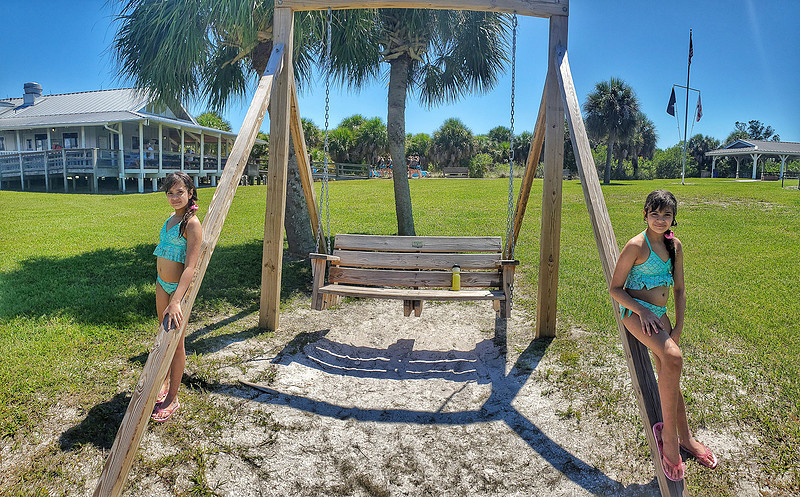
Pano Trick ShotTwins on the beachTrick shot made with the panoramic mode of my phone's camera I thought I would share a fun and easy trick shot you can do with your phone and requires no special knowledge of photo editing software. This trick results in the same person appearing two or more times in the same picture like the picture of my daughter at the top of this post. All you need is a phone with a camera that can shoot in panoramic mode. Most modern phones, iPhones, Samsungs, LG, whatever, have this capability.

So here we go, Just get your camera out and set your phone to panoramic mode (sometimes called "pano"). This is that mode where you take the picture and then move the phone to the right or left to make a long horizontal image. Shooting panoramics can be tricky all by itself, so if you have never shot a pano before take some time to practice a little.

Since you will be moving the phone and then stitching the pictures together it's best to not have things moving too much in the background. The phone can handle things like trees moving in the wind and clouds pretty well, but waves and people moving is a bit more challenging. If you look closely at the center of my picture at the top, you will notice the repeated person who was walking during my shot.

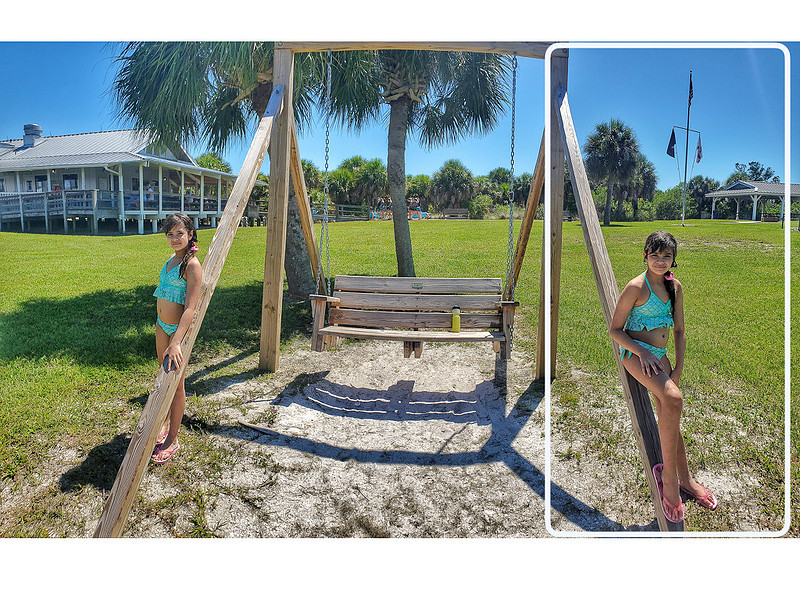
To do this shot, ask your subject to pose at one end of your panoramic shot as shown in the image below. The white outline represents what your phone would see at the beginning of the shot.

pano trick 1Pano Trick Shot Step 1Starting position for the pano trick shot.

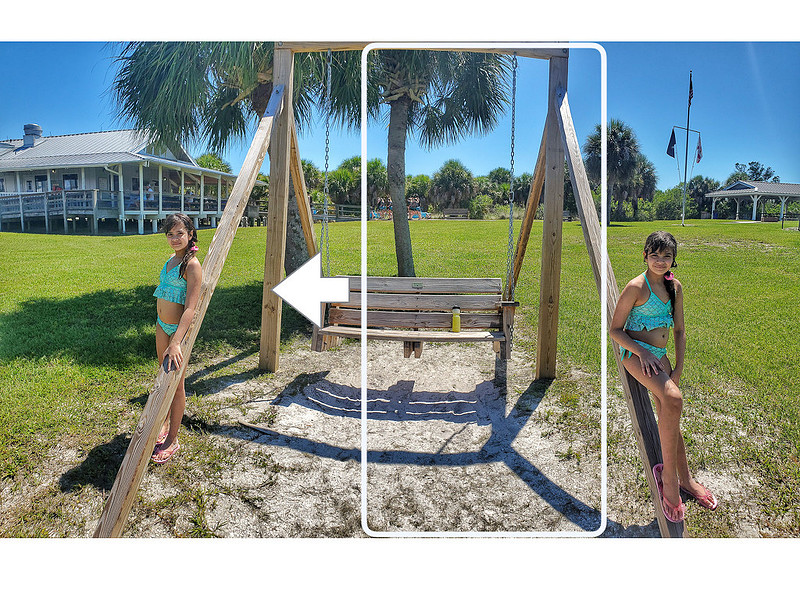
Now start your panning to build your shot. Your subject must try to stay as still as possible as you slowly pan the phone to the left (or right, depending on where you started). As soon as they are completely out of frame, have the subject quickly run behind you and get into position at a new location.

pano trick 2Pano Trick Shot Step 2when the subject is out of frame while you pan the phone they run behind you to the new location Make sure your subject gets into position before you get them in the frame with your panning motion. It helps to pan slowly to give them time to reach the new location and strike a pose. Then just finish the pano as your subject remains still again by pressing the stop button to finish the shot.

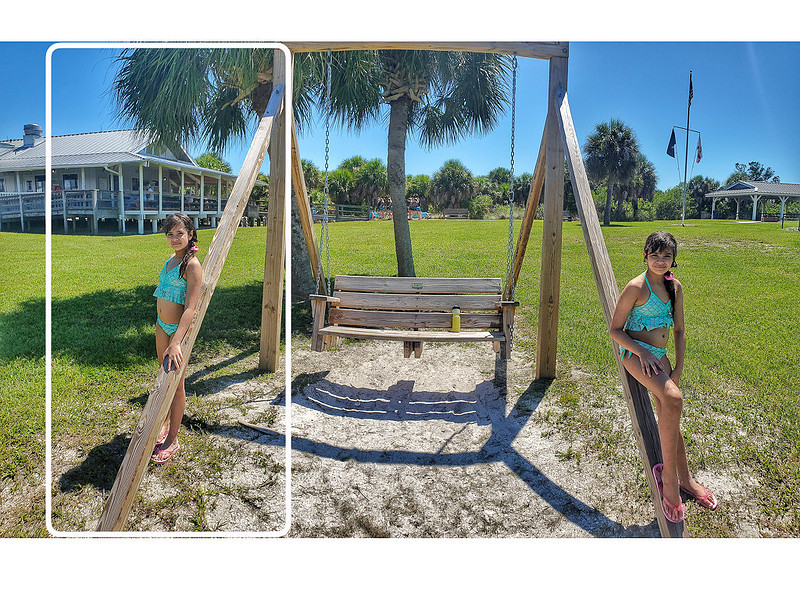
pano trick 3Pano Trick Shot Step 3Finish the pano with the subject in the new location. That's all there is to it. Your phone then stitches the panoramic image together and you have instant identical twins in your shot! Try it out yourself. You can try and make a longer panoramic and repeat the process to get triplets!


Comments

No comments posted.
Loading...
Subscribe
RSS
Archive
January February March (3) April May June July August September October November December
January February March (1) April May June July August September October (1) November December (1)
January February March April May June July August September October November December
January February March April May June July (2) August (2) September (1) October November December
January February March April May June July August September October November December
January February March April May June July August September (2) October (1) November (1) December
January February March April May June July August September October November December